
TABLE OF CONTENTS
Introduction
In this article, we'll guide you through the essential features of your Feefo dashboard. By the end, you'll have the knowledge to personalise your customer's experience and get your system fully up and running.
.png?width=151&height=57&name=Tooltip%20(1).png)
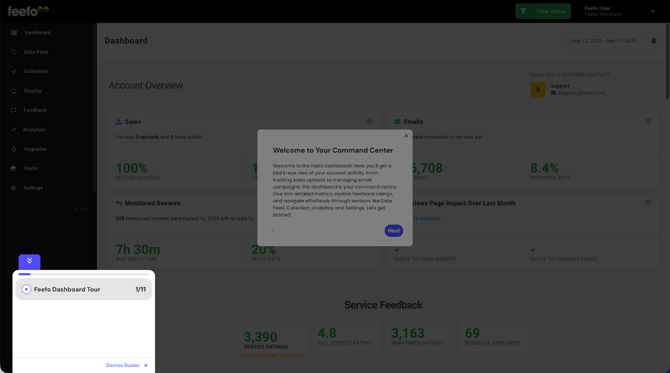
The Feefo Hub is the central control centre for your review management. Its dashboard gives you quick access to key stats, and lets you manage sales data, create campaigns, view feedback, respond to reviews, and access automated reports — all in one place. 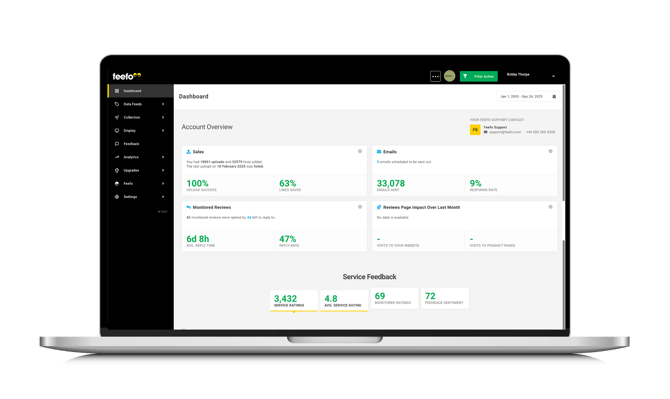
The data displayed is based on the timeframe selected in the top right of the view but defaults to the last month.
Help and support
If you need help with the setup process, follow the steps below to find your dedicated Feefo support contact details.
- Go to the Feefo Hub.
- Click "Dashboard".
- Look under "Your Feefo Support Contact" on the right hand-side
Live chat support is also available within the Feefo Hub. The support team is available Monday to Friday, 9 AM–5 PM GMT. To start a chat, click the live chat icon in the bottom-right corner of your screen.
Date range tool
The date range tool in the Feefo Hub lets you filter feedback, reports, and data by a specific time period, so you can focus your analysis and make informed decisions based on the most relevant information.
- Go to the Feefo Hub.
- Click "Dashboard".
- Select the calendar icon and pick your date range.
Whether you want to track the performance of a recent marketing campaign, evaluate the impact of a new product launch, or simply review customer feedback from a specific timeframe, the date range tool has got you covered.
Remember, with the Date Range Tool, you have the power to delve into the past and uncover trends, patterns, and opportunities that will help you optimize your business performance.
Account overview
From your dashboard, you can easily access important information at a glance. Keep track of uploads, emails, and monitored reviews right here, while the graphs below provide a quick overview of your feedback. Stay informed and in control with this convenient feature.
- Go to the Feefo Hub.
- Click "Dashboard".
- Scroll down to view the "Account Overview".

|
Graph |
Description |
|---|---|
|
Sales |
Shows the date and status of your last sale upload, as well as the total number of uploads, success rate and lines saved in the selected time period. |
|
Emails |
Shows the number of emails sent and their response rate in the selected time period, as well as the number of emails scheduled at this time. |
|
Monitored reviews |
Shows the number of monitored reviews that were responded and not responded to, along with reply rate and average response time, all within the selected period. An account can select what reviews it wants to “monitor” e.g. 1, 2 or 3 stars, or all - this is done in Settings > Feedback Preferences > Monitored Feedback. |
|
Average reply time |
Based on the amount of time passed since the monitored review was created and the you replied. |
|
Reply Rate |
The monitored reviews, what % you have responded too. |
|
Review page impact over the last month |
Shows the total visits to your website and to your product pages from your public reviews page, as well as the unique visits to your reviews page. |
|
Service feedback |
Breaks down your service feedback into three areas: overall rating and average score, monitored ratings, and feedback sentiment. |
Up next.... Brand Profile
Also see
Campaign Feedback Preferences