
TABLE OF CONTENTS
Introduction
Monday is a cloud-based platform that allows users to create their own applications and project management software.
Available triggers
Triggers are the events that trigger the automation, All triggers run in real time, i,e, data is transferred in the moment the event occurs
- Item created
- Subitem created
- Item deleted
- Subitem deleted
- Subitem archived
Available actions
Actions are what Feefo performs when your automation is running, Actions also allow you to transfer data to other apps and systems
- Archive a board
- Create group
- Create board
- Create Item
- Duplicate group
- Change columns values
- Find item by column value
- Change a simple column value
Connect the app
Before setting up integrations with Monday, follow this link and click the Install button.

On the Feefo Hub:
- Open the Integrations Tab, click the Integration Hub.
- Navigate to the Platform tab and select the Add a connection button.

- Find Monday in the search bar.
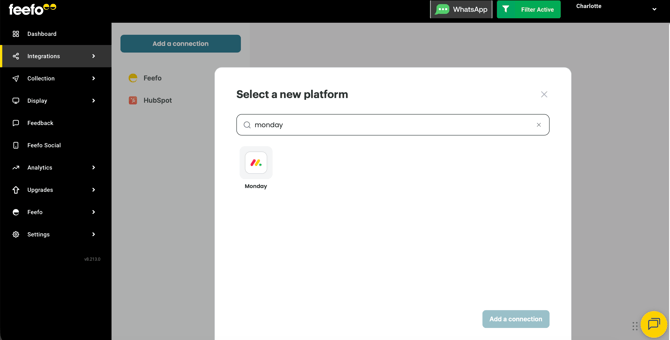
- Click the Add a connection button.
- Click the Grant access button to connect your Monday account to Feefo.
Your integration is ready!