
Overview
Snowflake is a cloud-based data platform that helps businesses store, manage, and analyse all their data in one place. By connecting Snowflake to Feefo you can streamline data flows across multiple business apps without manual effort. See how you can get more value from your data with Feefo and Snowflake.
Instructions
-
Before setting up automations with Snowflake connect the app to Feefo Hub.
-
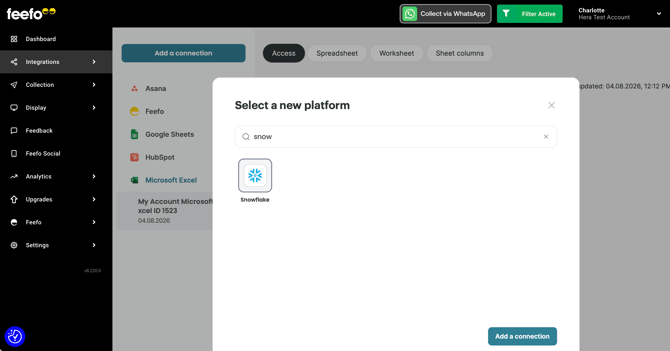
Go to the Integration tab and Integration Hub section and click the Add a connection button.
-
Search for Snowflake and select it. Click the Add a connection button.
-
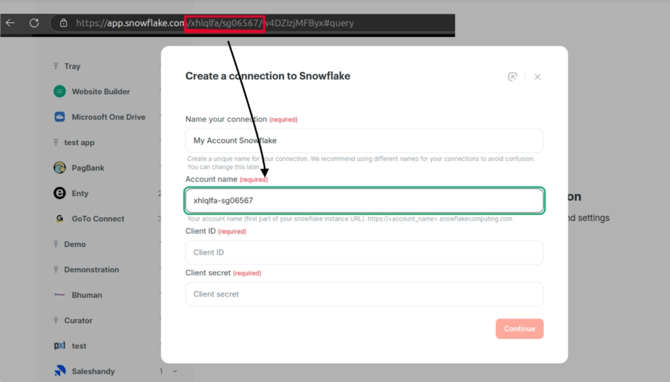
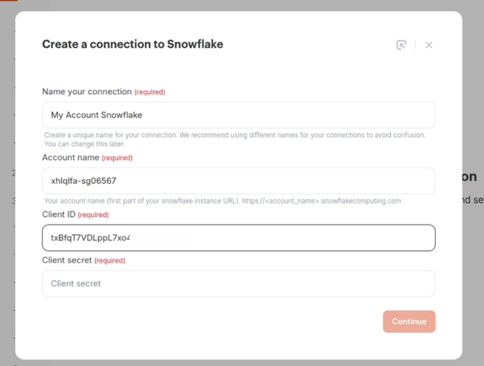
Create a name for your connection.
-
Copy your Snowflake account name from your browser's address bar and paste it into the Account name field.
-
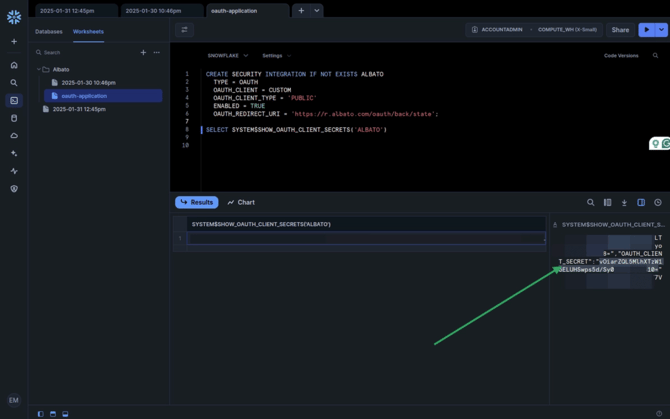
Run the following statement below in the Worksheets section
CREATE SECURITY INTEGRATION IF NOT EXISTS Feefo TYPE = OAUTH OAUTH_CLIENT = CUSTOM OAUTH_CLIENT_TYPE = 'PUBLIC' ENABLED = TRUE OAUTH_REDIRECT_URI = 'https://r.Feefo.com/oauth/back/state'; SELECT SYSTEM$SHOW_OAUTH_CLIENT_SECRETS('Feefo');Copy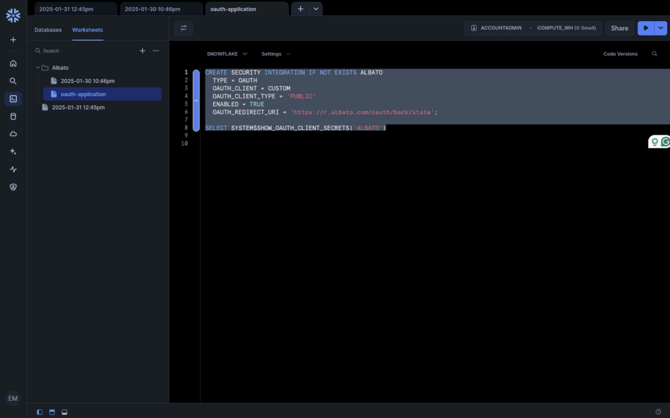
-
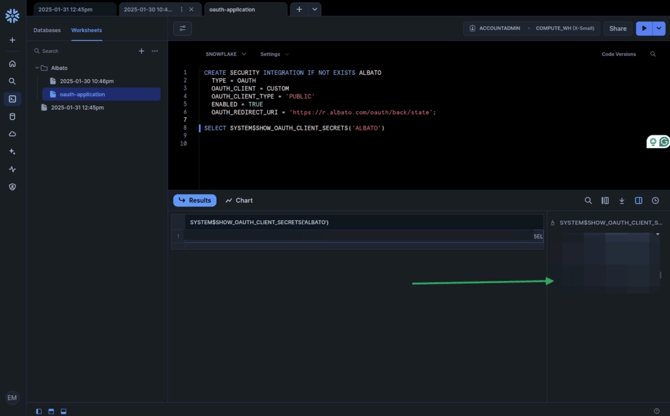
Snowflake will return the OAuth credentials. Copy the Client ID.
-
Go back to Feefo and paste the value into the Client ID field.
-
Return to Snowflake and copy the Client Secret.
-
Go back to Feefo and paste the value into the Client Secret field.
-
Click the Continue button.
-
Click the Grant Feefo access button.
-
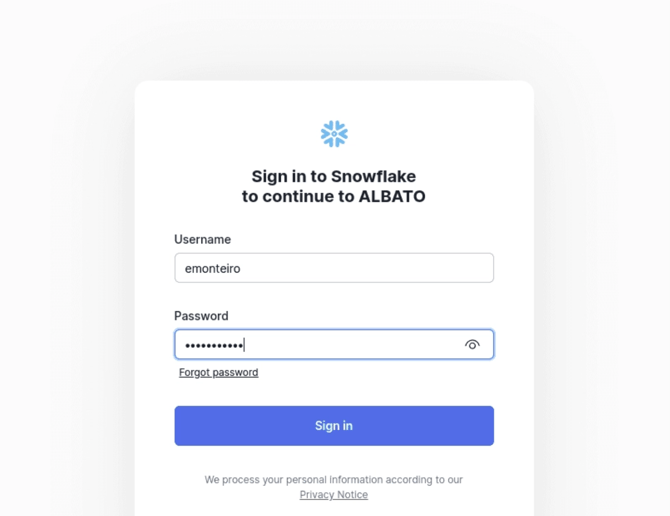
You will be redirected to Snowflake. Enter your Snowflake Username and Password.
-
Click the Sign in button.
-
Click the Allow button to grant access.
Now you can use the Snowflake connection in your Feefo flows.
Troubleshooting Hints
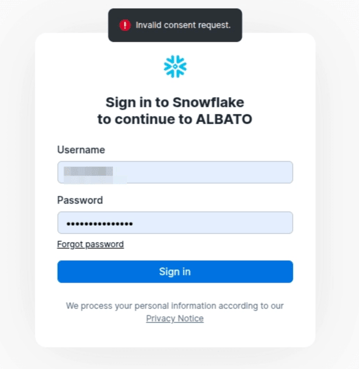
If you see the Invalid consent request error, it means the requested role is either incorrect or not granted to the authenticated user
.
To resolve this error, run the following statement in Snowflake:
Important: this statement grants OAuth privileges to all integrations within your Snowflake account.
ALTER ACCOUNT SET OAUTH_ADD_PRIVILEGED_ROLES_TO_BLOCKED_LIST = FALSE;
If you have any questions, contact our support team through the chat in your Feefo account.