
Overview
The Source Settings allow you to manage where your widget content comes from and how it is filtered. Use these settings to define the rules for which reviews are displayed.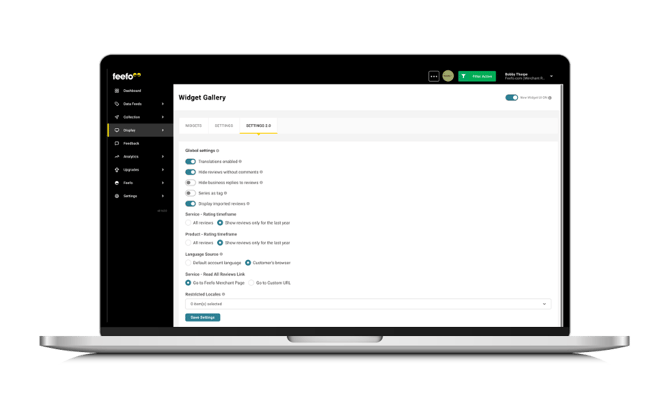
How to Configure Display Settings
To configure your display settings, navigate to the Feefo Hub and follow these steps:
-
Go to Display
-
Click Widget Gallery
- Click on Source Settings
The settings available are:
| Field | Description |
|
Display imported reviews |
Show reviews collected before joining Feefo, or non-syndicated imported reviews. Note, these may be laballed differently than your Feefo collected reviews. |
|
Service - Rating timeframe |
All reviews or Show reviews only for the last year |
|
Product - Rating timeframe |
All reviews or Show reviews only for the last year |
|
Restricted Locales |
Only reviews written in the selected languages will be shown. |
|
Feedback Type (Labels) |
Select which review types (labels) to display on your customer-facing widgets.
|
|
Domain Allow List |
Restrict which websites are authorised to display your review widgets. Leave this blank to display your reviews anywhere. Once any URLs are added, only those specific domains will be allowed to display your reviews data. Separate multiple domain with commas (e.g. example.com, example.uk, example. au) |