
TABLE OF CONTENTS
- Introduction
- Feedback Request Settings
- Feedback Form Preferences
- Feedback Reminder Requests
- ‘Not tried yet’ Reminder Requests
Introduction
You have the capability to customise the language used at every consumer touchpoint. In the Campaign Feedback Preferences section, you can personalise your feedback request emails, determine when they are sent, customise the feedback form, and even set up a reminder for feedback requests.
To access this section of the Hub
- Login and click ‘Collection’
- Then ‘Manage Campaigns’ on the left-hand menu
.png?width=151&height=57&name=Tooltip%20(1).png)
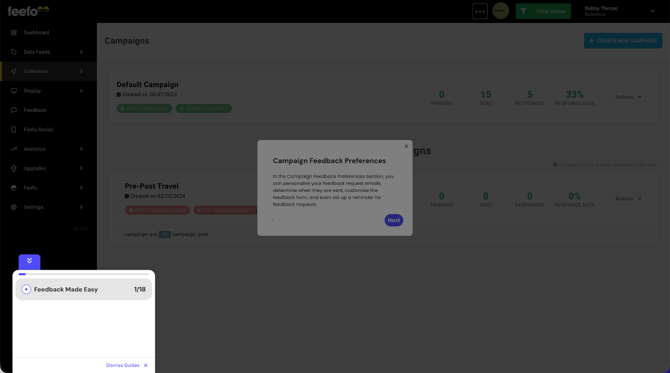
If you're only running one campaign
- Click the ‘Feedback Preferences’ button alongside your default campaign.
If you are running more than one campaign
- Click on the ‘Actions’ drop-down box next to the campaign you wish to make changes to
- Select ‘Edit’
- When you’re taken to the next screen, click the blue ‘Feedback Preferences’ button.
- If you can see more than one button, it may be because you have custom campaigns setup and so have multiple ‘triggers’ for your feedback requests.
Make sure you have selected the right trigger before making any changes to your feedback preferences.
Feedback Request Settings
The Feedback Request settings are broken down into four areas
- Feedback Request
- Feedback Form
- Feedback Request Reminder
- Not Tried Yet Reminder Request
Feedback Request
Feedback request delay
You can choose to send out feedback requests as soon as Feefo receives your sales data or set a delay. For example, if you know it’s going to take a week for shoppers to receive their products from you, you can choose to send the request after one or two weeks have passed, so they have a chance to get and try their products.
This setting can be overridden by adding Feedback date' on the spreadsheet when your data is uploaded.
Feedback request time
Choose whether to send the feedback request ASAP or at a specific time of day. Selecting a specific time of day can improve response rates, as you can work out when your customers are most likely to read and respond to your emails. We’ve found that response rates are highest between 8pm and 12am in the evening. Find out more in our ‘How to improve your response rates’ guide.
Customers will receive the email at, or just after the specified time UTC/GMT (+0), so ensure it is sent at a social hour.
Feedback request expiry
If you want unanswered feedback requests to expire after a certain period of time (days, weeks or months), you can choose to do so. After this date your customers will not be able to leave feedback.
Channel
There are four methods to capture customer feedback via Feefo, these are:
- SMS (SMS Collection is not available as standard and is an additional cost to use.)
- In Mail
For SMS, Currently we only support UK, Eire, US and South Africa numbers. There is a 160 limit on campaigns sent via text.
We are able to capture feedback where we don’t send the feedback email via a method called Smartlink
Customise email
When your account is created in the Hub, the system automatically generates an email and form using our default templates. You have the option to choose from a variety of templates, all of which can be customised at any time by clicking the 'Customise email' button.
If you are a service only account, we strongly recommend you update this. To apply further brand customisation to your content, contact your account manager.
View more information on the customise email option here
Feedback Form Preferences
Feedback form preferences lets you structure how to receive feedback.
The Feedback form is browser based - so will pick up the language the customer is viewing - It is common for browsers to default to English US - instead of English UK - so be aware of this
Feedback type
When sending out customer feedback forms, you have the option to collect
-
service reviews
-
product reviews
-
or both.
When collecting product reviews, you have the flexibility to make product ratings mandatory or optional. This is particularly useful if you anticipate customers purchasing a large number of items in a single transaction, such as a food shop, where it may not be necessary to require reviews for every item. Additionally, you have the option to include a 'not tried yet' tick box next to each product. This allows customers to indicate that they haven't used certain products and choose not to provide feedback for them.
You also have the option to determine whether the actual product review should be mandatory in addition to the rating. This means that customers will be required to provide a comment alongside their rating. You can choose to make this optional, mandatory for negative ratings only, or mandatory for all ratings.
We suggest that you at least set the Product Review to 'Mandatory for negative rating', so you can find out why a customer wasn't happy with your product.
Learn more about the Feedback Form customisation here.
Feedback Reminder Requests
To improve your response rates, you have the option to set up feedback reminder requests. These reminders are sent out after a specified time period if the customer has not responded to the initial feedback request.
You can choose to send these reminders either via email or SMS (if your Feefo package includes this feature). Furthermore, you can customise the timing of the reminder to be sent in days, weeks, or months after the first feedback request has been sent.
Learn more about the Reminder Email here.
‘Not tried yet’ Reminder Requests
If you have enabled the 'not tried yet' option on your feedback form, you have the ability to send out review request reminders to customers once they have used your products and are ready to provide feedback. Similar to the initial feedback request, you can choose to send these reminders via email or SMS. Additionally, you can specify the desired time frame for the reminder to be sent, selecting the number of days, weeks, or months after the first feedback request.
Learn more about the NTY Reminder Requests here.